
How I Got Claude to Post My Substack Notes Automatically (3x a Day)
A practical setup guide using PostCLI, Claude Desktop, and scheduled cloud routines
I write on Substack because I have things to say. The part I kept putting off was the Notes — those short, in-between thoughts that keep you visible between articles. Showing up three times a day felt like a job on top of a job.
So I automated it. Here is exactly how I did it.
What you need
A Substack account
Claude Desktop (Pro plan)
Node.js installed on your Mac
About an hour
You don’t need to be technical. Claude Code can walk you through every step, from installing the tools to creating the routines, based on your comfort level. If you’re a beginner, just open Claude Code in the chatbox and say “help me set this up, I’m not a developer.” If you’re comfortable with terminals, it’ll move faster and let you take the wheel. Either way, it can run the commands for you.
Step 1: Install PostCLI
PostCLI is a command-line tool that lets you read and publish to Substack from your terminal. Install it with:
npm install -g @postcli/substack
Note: if you get a build error about Xcode Command Line Tools, you may need to reinstall them first. Run xcode-select --install in Terminal, wait for it to finish, then try again.
Step 2: Authenticate
Run:
postcli-substack auth login
If the Chrome cookie method fails, use:
postcli-substack auth setup
This lets you paste your substack.sid cookie manually. To get it: open Chrome, go to substack.com while logged in, press Cmd+Option+I, go to Application > Cookies > substack.com, and copy the value next to substack.sid.
Once connected you should see: Connected as [your publication name].
Step 3: Add PostCLI as an MCP server in Claude Desktop
Open your Claude Desktop config file at:
~/Library/Application Support/Claude/claude_desktop_config.json
Add this inside the JSON:
"mcpServers": {
  "substack": {
    "command": "/path/to/your/postcli-substack",
    "args": ["mcp"]
  }
}
To find your exact path, run which postcli-substack in Terminal. Restart Claude Desktop after saving. You should see Substack tools appear in your Claude session.
Step 4: Create the scheduled routines
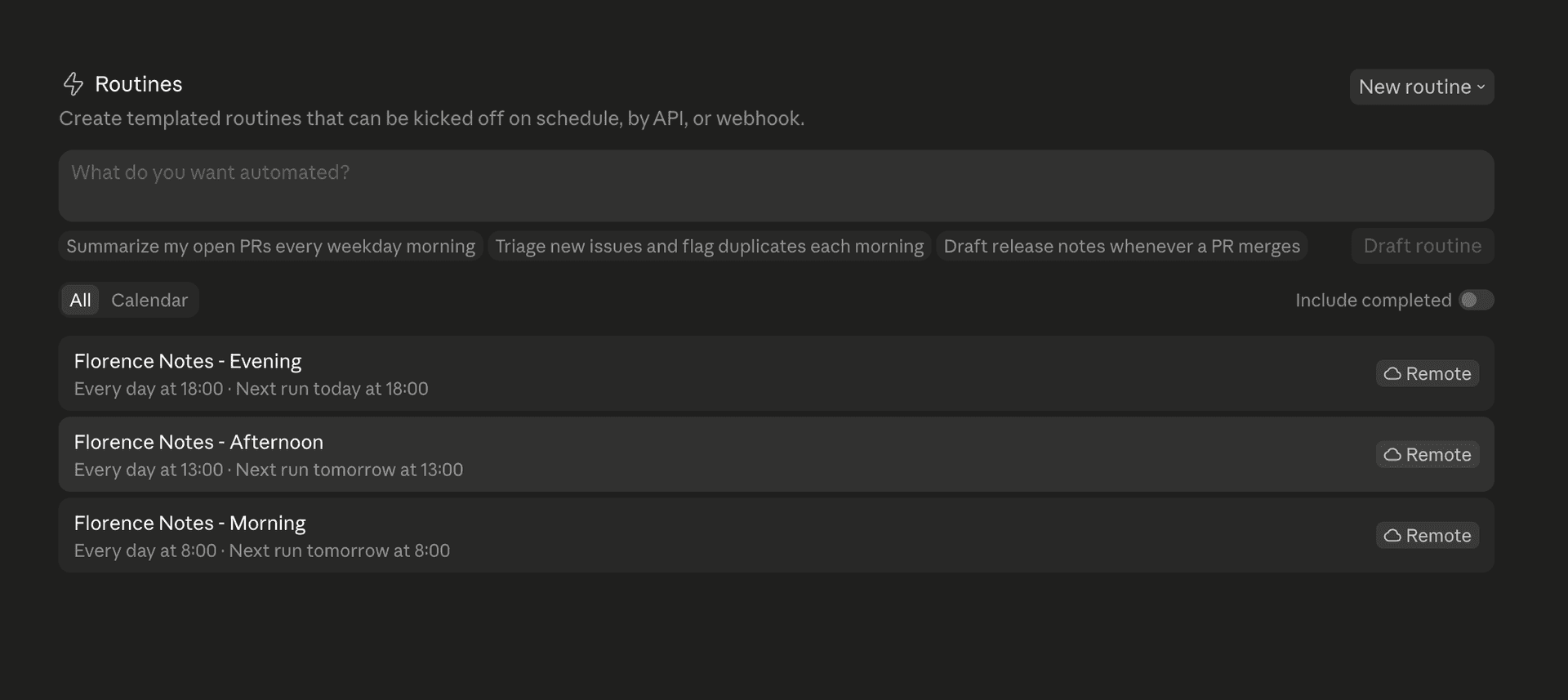
Go to claude.ai/code/routines and create three routines — morning, afternoon, evening — each with a prompt that tells Claude to fetch one of your recent articles, pull out a key insight, write a short Note in your voice, and publish it.
Before your routines will work, you need to update the network access on your environment. In the routine editor, click the cloud icon next to your environment name, open its settings, and change Network access to Full. Without this, the cloud agent cannot reach Substack’s API.
Schedule them using cron expressions. For Phoenix time (UTC-7):
8am =
0 15 * * *1pm =
0 20 * * *6pm =
0 1 * * *
What the prompt looks like
The prompt is the most important part. Mine fetches my recent articles, picks one based on the day’s date so each slot gets a different article, writes the Note, and publishes it. I also gave Claude specific rules for my voice: calm reflection, context where necessary, no em dashes, no contrast structures like “it’s not X, it’s Y.” The fewer rules you give, the more generic it sounds. Be specific about what you don’t want as much as what you do.
A note on security
When you authenticate, PostCLI saves a session token from your Substack account to a file on your Mac. That token is also embedded in your Claude routine prompts. It is not your password. It is more like a hotel key card, proof that a device is logged in, not access to everything.
That said, a few steps worth taking:
Run
chmod 600 ~/.config/postcli/.envin Terminal. This makes the credentials file readable only by you.Enable FileVault on your Mac (System Settings > Privacy and Security > FileVault). This encrypts your disk so the file cannot be read without your login.
Secure your Claude account with a strong password and two-factor authentication. Your routines live there, so it is the second place the token is stored.
Do the same for your Substack account. Two-factor authentication means a stolen token cannot be used to lock you out or change your credentials.
If anything ever feels off, run
postcli-substack auth loginagain to generate a fresh token and update your routines. This invalidates the old one.
The ceiling on the risk is that this token controls publishing, not payments or account access. Keep your Mac and Claude account properly secured and the practical exposure is low.
What to expect
The first note it publishes may not sound exactly like you. That is normal. Read it, notice what’s off, and add those observations to your prompt. After two or three rounds of feedback it gets close. Mine took one correction, and the refining is still a work in progress.
The system runs whether your laptop is open or not. Your readers see a thought from you at 8am, 1pm, and 6pm. You wrote the articles it draws from. You defined the voice. The automation just keeps you present.